Get Bonus Roll Confirm Addon to Avoid Accidentally Wasting Bonus Rolls
Want to avoid accidentally wasting your Bonus Roll on an LFR boss because you misclicked? Check out the Bonus Roll Confirm addon!
With the first week of Season 2 now live, many players have started to take Nebulous Voidcore Bonus Rolls from the Great Vault with the hopes of coining a Best-in-Slot item from the last two bosses of the raid. These bosses have very good loot and will drop at Myth 1/6 from Bonus Rolls.
Once you pick up your Bonus Roll, every time you defeat a raid boss, complete a dungeon, or finish a Prey or Delve, the bonus roll window will pop up. With no confirmation window by default, players who accidentally click the wrong spot may immediately regret it when they see an unwanted piece of loot show up. Alternatively, if a player accidentally closes the window on the boss they want to use it on, they will miss out.
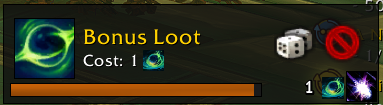
There have been players who have reported that the Bonus Roll loot icon is hidden under the loot options or over their raid frames. When the boss died, they have accidentally clicked the roll button and been very sad.
If you want a little more safety with regards to Bonus Rolls, check out the Bonus Roll Confirm addon. This adds a confirmation box to both buttons, confirming that you actually do want to "Roll" or "Close the Window".
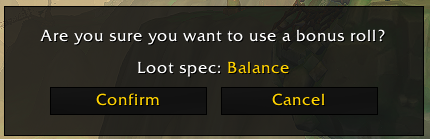
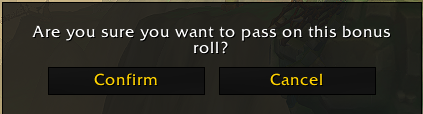
This should help you feel less stressed whenever you kill a boss and prevent the gut-wrenching feeling of seeing an unwanted piece of loot awarded to you that is definitely not a Myth track piece of Ula'tek.